
Vego Inventory Web App Overview
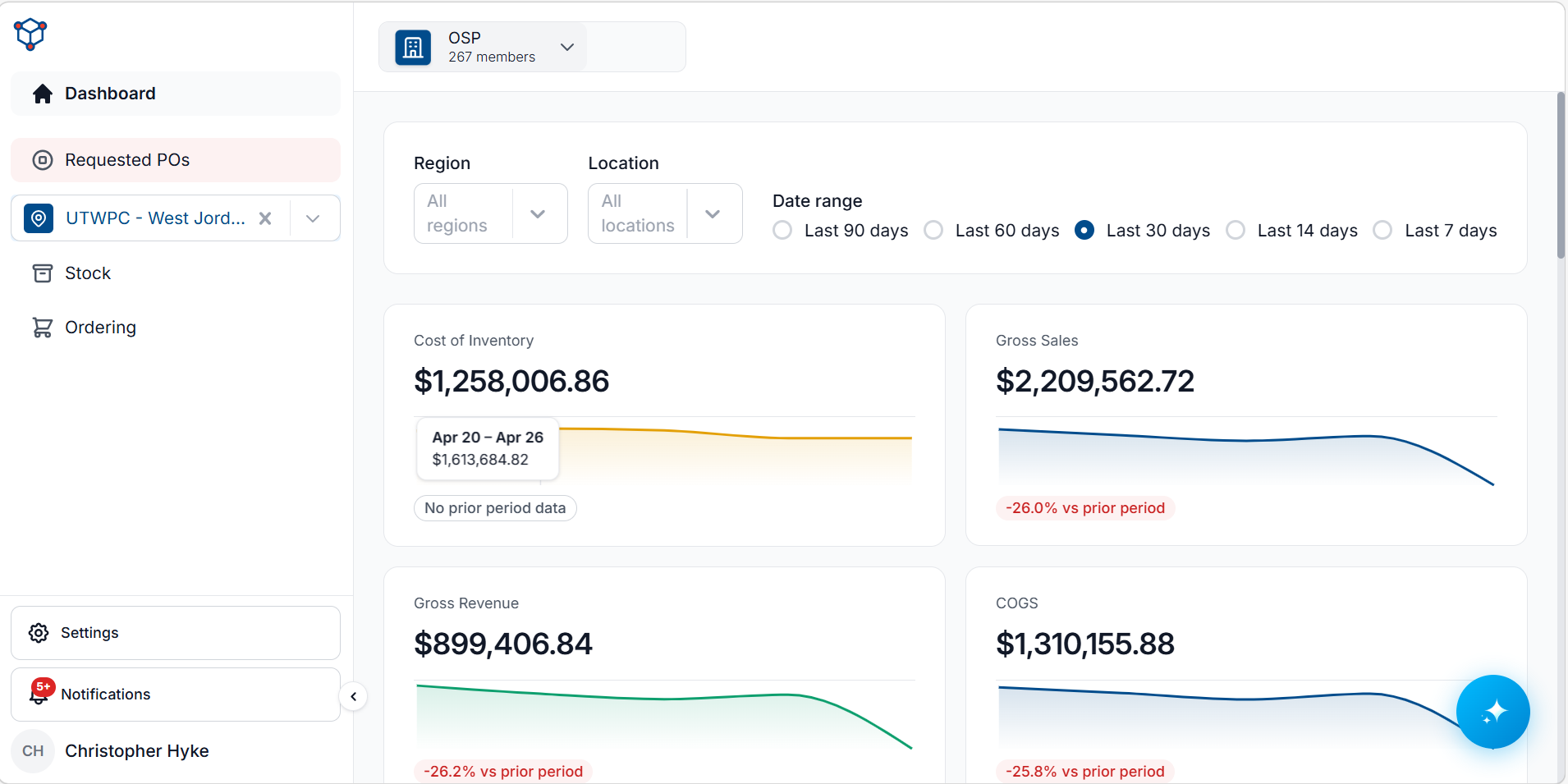
Vego Inventory is a cloud-based web application designed to streamline stock and purchasing management across multiple locations within a centralized platform. Whether tracking inventory levels, processing purchase orders, or monitoring stock movements, the system provides a comprehensive solution for businesses seeking efficiency and control.
Accessible from any device with an internet connection, Vego Inventory ensures that users can review and manage stock in real time, no matter where they are. Its intuitive interface simplifies navigation, allowing users to quickly locate items, adjust stock levels, and generate reports as needed.
Security is a top priority, with robust user authentication protocols in place to safeguard sensitive data. Access is restricted to authorized users, ensuring that inventory records remain protected from unauthorized changes or breaches.
To start managing your inventory, log in at: https://Inventory.Huzzard.com .
Stock Management
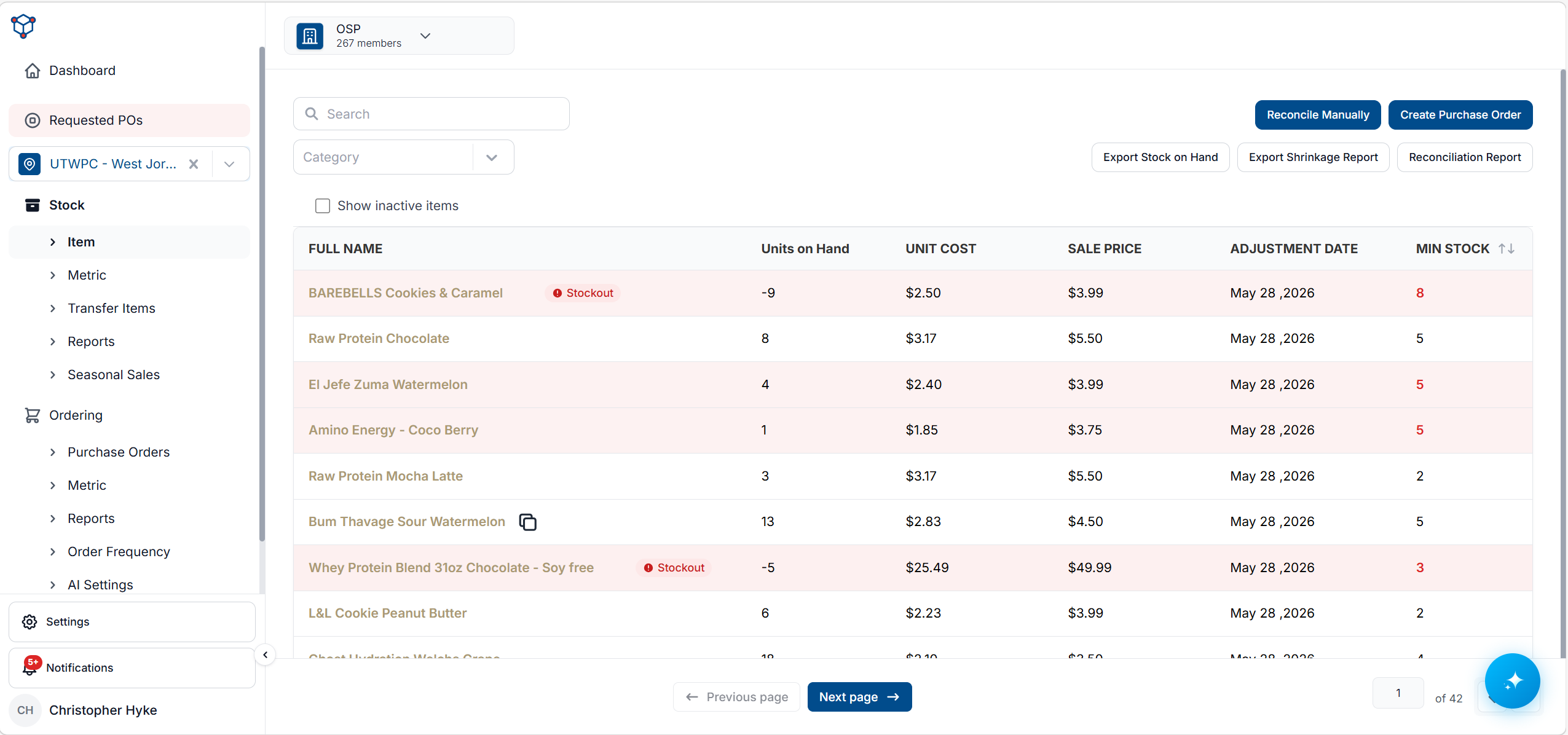
The Stock Management functionality in Vego Inventory provides a comprehensive suite of tools to efficiently track and maintain inventory across multiple locations. Users can easily view current stock levels, review inventory history, reconcile discrepancies, and rapidly restock items as needed. Additionally, the platform offers a variety of reports that provide valuable insights into past and present inventory trends.
By leveraging these stock management capabilities, businesses can:
-
Reduce Stockouts and Overstock – With real-time inventory tracking, businesses can anticipate demand and adjust stock levels accordingly, minimizing the risk of running out of essential items or over-purchasing excess stock.
-
Improve Accuracy and Efficiency – Automated inventory reconciliation helps identify discrepancies quickly, reducing errors and streamlining stock adjustments.
-
Enhance Decision-Making – Access to historical inventory data and detailed reports enables better forecasting, budgeting, and purchasing decisions.
-
Save Time on Inventory Audits – Simplified stock reconciliation and rapid restocking tools allow users to manage inventory efficiently, freeing up time for other business operations.
With Vego Inventory’s stock management system, businesses gain greater control over their inventory, leading to increased operational efficiency and cost savings.
Purchase Order Management
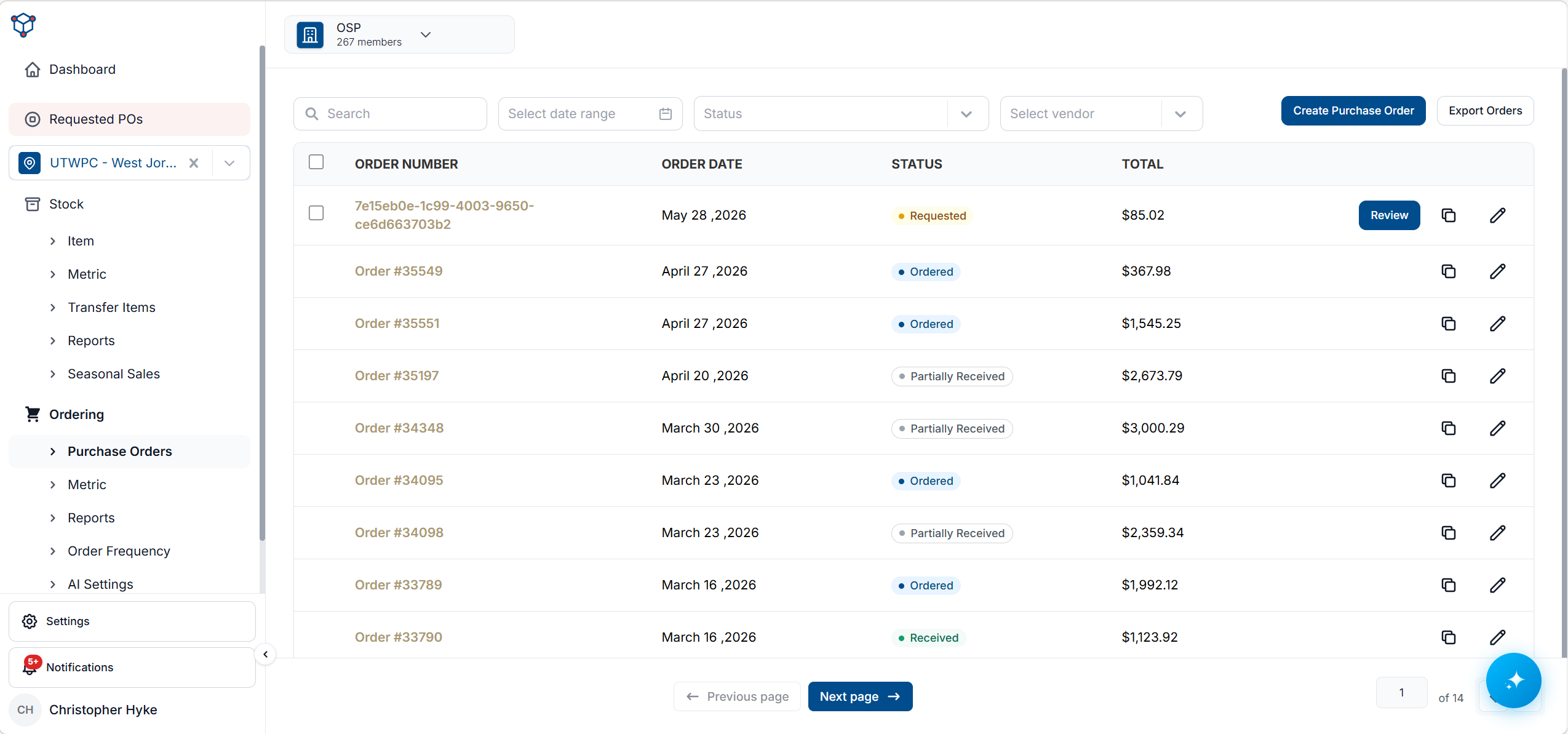
The Purchase Order Management functionality in Vego Inventory simplifies and streamlines the procurement process, ensuring businesses can efficiently replenish stock while maintaining optimal inventory levels. Users can create purchase orders directly within the system, view real-time stock levels of selected items, and access key sales insights to make informed purchasing decisions.
With built-in sales analytics, businesses can evaluate the average sales over the past 7 days and a rolling average over 6 weeks, allowing for smarter forecasting and more precise order quantities. Once a purchase order is finalized, the system can automatically send it to connected vendors, reducing manual effort and improving order turnaround times.
Upon receiving inventory, the system enables seamless purchase order reconciliation, allowing users to verify deliveries and update stock levels in real time. This ensures that all received items are accurately logged, preventing discrepancies and maintaining up-to-date inventory records.
By utilizing Vego Inventory’s Purchase Order Management features, businesses can:
-
Improve Procurement Efficiency – Automate purchase order creation and vendor communication, reducing time spent on manual ordering.
-
Optimize Stock Replenishment – Use historical sales data to order the right quantities at the right time, preventing overstock and stockouts.
-
Enhance Vendor Collaboration – Streamline communication with suppliers through automated order submission and tracking.
-
Maintain Accurate Inventory Records – Simplify receiving processes to ensure accurate stock updates and minimize errors.
With these tools, businesses can take a proactive approach to purchasing, ensuring inventory levels align with demand while saving time and reducing costs.
How to Log in to Vego Inventory
-
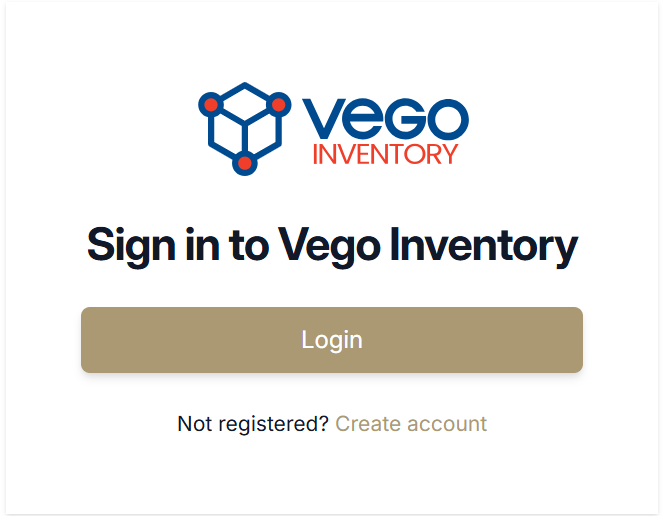
Click in your web browser’s address bar and type in www.inventory.huzzard.com
-
Click “Login”
-
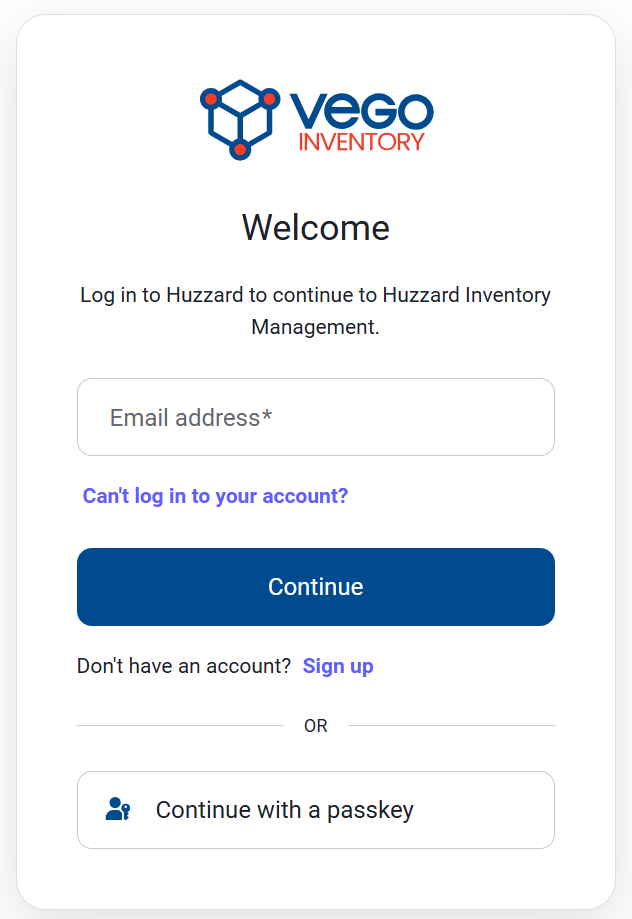
Type email address and password, or utilize a passkey to sign in
-
Once your credentials are verified you will be brought to the Vego Inventory main menu.
If you do not have a Vego Inventory account, you can click Sign up at the bottom of the credentials panel. For more details on that process, follow the link to Create Account
To learn more about how to complete various tasks in Vego Inventory, select a category below.